
Most wireless earbuds reviews end when the unboxing video does. Mine starts there. I use each pair for at least 30 days, including phone calls, gym sessions, walks, commuting, and the occasional drop onto a garage floor. This wireless earbuds review explains what I test, which specifications matter, and where popular models earn or lose their price tags. I buy the products myself and do not accept manufacturer sponsorships.
After eight years testing consumer electronics in a corporate quality lab, I learned that the impressive number on the box is rarely the whole story. Battery claims often exclude noise cancellation. Water resistance does not mean waterproofing. A comfortable earbud can still produce poor call quality in a windy parking lot. Spec sheets are free. Truth takes a few weeks.
How I Test Wireless Earbuds
My wireless earbuds review process begins with a reset and a clean pairing test. I connect each model to an iPhone and an Android phone, then switch between them repeatedly. Some earbuds handle multipoint connection gracefully; others make you forget the first device before they will recognize the second. That difference matters when you carry a personal phone and a work phone.
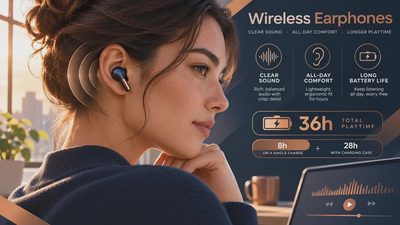
For battery testing, I play a podcast at a fixed volume until the earbuds shut down. I repeat the test with active noise cancellation, or ANC, enabled. ANC uses microphones and signal processing to reduce outside sound, but it also consumes additional power. A pair advertised for eight hours might deliver closer to five or six with ANC active. I record the result for the earbuds and charging case separately.
I also measure charging behavior with the included cable and a compatible wireless charging pad when supported. A quick ten-minute charge should provide useful listening time, not merely look good in an advertisement. I check whether the case drains while sitting unused for several days, because that quiet battery loss is a common annoyance.

Sound Quality Is More Than Bass
A useful wireless earbuds review should describe how the product sounds with different recordings, not simply call it “premium.” I use spoken podcasts, acoustic music, dense rock, electronic tracks, and movie dialogue. The goal is to hear whether voices remain clear, cymbals become harsh, or bass turns into a slow, muddy thump.
Apple AirPods Pro 2 generally offer a balanced presentation with strong transparency mode, while the Bose QuietComfort Ultra Earbuds emphasize spacious sound and powerful noise reduction. Sony’s WF-1000XM5 gives listeners more equalizer control and a warmer presentation. None is universally best. The right choice depends on whether you prioritize natural voices, heavy bass, travel silence, or app-based customization.
I compare each pair at low volume too. Earbuds that sound exciting only when loud can become tiring during a two-hour work session. Good tuning preserves detail at a comfortable level, which is better for daily listening and less likely to encourage unsafe volume.
Noise Cancellation and Transparency
The best wireless earbuds review should test ANC in several environments. I use a steady fan, traffic noise from a safe sidewalk, an HVAC system, and low engine rumble. ANC is usually strongest against consistent low-frequency sound. It is less reliable with sudden voices, clattering dishes, or a child asking a question from three feet away.
Transparency mode receives the same attention. I listen for hiss, delay, and the unnatural “inside your head” effect that makes conversations uncomfortable. AirPods Pro 2 remain excellent for natural ambient sound. Bose provides substantial isolation on airplanes and buses. Budget models from Anker’s Soundcore line can be surprisingly effective, although their microphones and app controls vary between products.
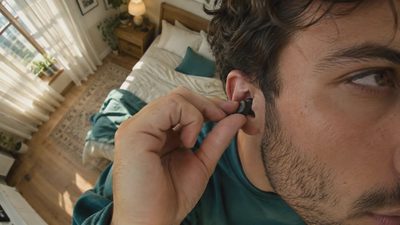
Fit changes ANC performance more than many buyers expect. A poor seal lets outside sound leak around the ear tip, forcing the electronics to work harder while reducing bass. I test the supplied tip sizes and use each pair for at least an hour before judging comfort. The smallest tip is not automatically the safest choice.
Calls, Controls, and Real-World Reliability
In this wireless earbuds review, call quality gets tested outdoors, indoors, and beside moderate background noise. I record sample calls on both phones and listen for clipped words, wind distortion, and unnatural noise suppression. A pair can sound wonderful for music and still make you sound like you are speaking through a tunnel.
Stem-style designs often place microphones closer to the mouth, but shape alone does not guarantee clear calls. Software matters. I also test touch controls with damp fingers, gloves, and a winter hat brushing against the earbud. Accidental pauses are frustrating when you are carrying groceries or riding a stationary bike.
Connection stability is another long-term concern. I walk through several rooms with the phone left behind, use Bluetooth in a busy public area, and check whether either earbud disconnects independently. Firmware updates can improve performance, but a buyer should not have to troubleshoot weekly to enjoy basic audio.

Which Price Range Makes Sense?
A wireless earbuds review should tell you where spending more stops paying off. Under $60, models such as the Soundcore P40i and JLab Go Air Pop can deliver respectable battery life and enjoyable sound, but compromises usually appear in call quality, ANC refinement, case construction, or companion software. These are sensible choices for commuting backups, teenagers, or a pair likely to meet a washing machine.
From roughly $100 to $180, competition becomes much stronger. You can find better microphones, more reliable apps, wireless charging, and effective ANC. Apple users often get the smoothest experience from AirPods because device switching and Find My integration reduce daily friction. Android users should examine codec support, multipoint behavior, and app features rather than assuming the most expensive logo wins.
At $200 and above, the improvements become more specific. Premium earbuds can offer better noise reduction, richer transparency, stronger materials, and more detailed tuning. They do not automatically fit better, last longer, or make phone calls clearer. If the shape hurts after 30 minutes, an expensive sound profile will not rescue the purchase.
My Buying Checklist After Testing
Before buying, confirm the return window and keep the packaging until you have completed several real sessions. Test both ears independently, because a loose fit on one side can reveal itself only while walking. Check battery life with ANC enabled, not only the manufacturer’s maximum figure. Make at least one outdoor call. Try the earbuds with your primary phone and any secondary device you actually use.
Also inspect the case hinge, magnets, charging port, and ear-tip storage. Those small parts receive more daily abuse than the speaker drivers. If you work out, look for an official sweat-resistance rating, but do not treat it as permission to swim with the earbuds. Moisture damage is one of the most common reasons otherwise functional audio gear fails.
The strongest wireless earbuds review is not the one with the most technical terms. It is the one that tells you what happens after the novelty fades. A pair should connect without drama, stay comfortable, sound good at moderate volume, and survive the routines you actually repeat.
My final recommendation is simple: buy for fit and reliability first, then tune sound and features around your phone. A $90 pair you wear every day is a better value than a $299 model left in a drawer. I tested it. Here is what actually happened. Read the individual long-term tests before you buy, and you will spend less time returning earbuds that looked perfect on launch day.
No letters yet — be the first to write.