Bluetooth earbuds are easy to recommend badly. A manufacturer can lead with a dramatic battery number, a list of audio codecs, and a glossy case photo, while ignoring the things that determine whether you will still use them next month. I test Bluetooth earbuds for fit, connection stability, microphone quality, battery life, and everyday durability. The goal is not to crown the model with the longest spec sheet. It is to find the pair that behaves well on a walk, a work call, a flight, and a hectic family morning.
I spent eight years testing consumer electronics in a corporate quality lab, where I learned that first impressions are unreliable. A comfortable earbud can become irritating after two hours. A claimed eight-hour battery can deliver less when noise cancellation is active. A connection that works perfectly beside your phone can stutter near a crowded train platform. Spec sheets are free. Truth takes a few weeks.
What I Test Before Recommending a Pair
My battery test starts with a full charge, a consistent music playlist, and a fixed volume level. I record the time until the earbuds shut down, then repeat the test with active noise cancellation turned on. Active noise cancellation, or ANC, uses microphones and processing to reduce outside sound. It is useful on airplanes and near loud HVAC systems, but it consumes additional power.
For comfort, I wear each pair during a desk session, a grocery trip, and a brisk walk. I try the included ear tips instead of assuming the largest or smallest size will work. A correct seal improves bass and passive noise blocking, but excessive pressure creates soreness. Earbuds such as Apple AirPods Pro, Google Pixel Buds Pro, and Sony WF-1000XM5 fit differently despite occupying the same premium category.
I also test Bluetooth earbuds several feet away from the phone, through a wall, and in a busy public place. Bluetooth 5.3 sounds impressive on packaging, but the version alone does not guarantee better range or fewer dropouts. Antenna design, software, and the phone itself matter more than a number printed in large type.
Sound Quality Is More Than Bass
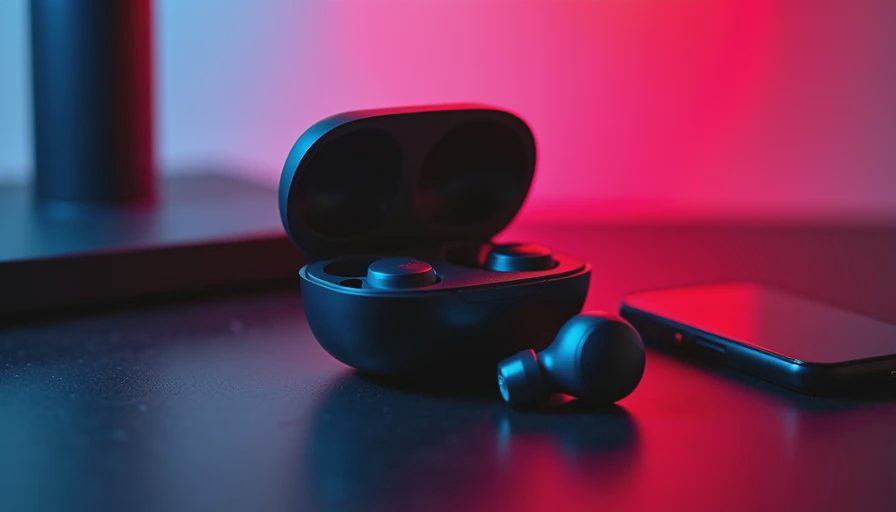
Good Bluetooth earbuds should make voices easy to understand, cymbals distinct, and bass controlled rather than swollen. I listen to acoustic recordings, dense rock, podcasts, and low-volume background music. That variety exposes tuning problems quickly. A pair that sounds exciting for ten minutes can become tiring when the upper frequencies are too sharp.
I compare the default sound first because most people never open the equalizer. An equalizer lets you adjust frequency ranges, such as bass or treble, but it cannot repair weak hardware or a poor seal. Some models offer several presets in their app. Jabra, Bose, Sony, Samsung, and Apple each take different approaches, so buying Bluetooth earbuds for a feature that only works fully inside one phone ecosystem deserves caution.
There is also a difference between detail and brightness. More treble can make a recording seem detailed at first, but harshness becomes obvious on podcasts with strong “s” sounds. The best tuning lets me hear small instruments without making spoken voices feel brittle. I make notes after several days, not after one exciting track in a store.
Calls, Controls, and Connection Reliability
Microphone performance is where many inexpensive Bluetooth earbuds reveal their limits. I make calls indoors, beside a residential street, and with a box fan running several feet away. The listener needs a clear voice, not merely a recording that sounds acceptable inside a quiet room. Wind reduction can help, but aggressive processing sometimes removes word endings along with the noise.
Controls matter during ordinary use. Tapping can work, but pressure-sensitive stems and physical buttons are usually easier to operate while walking. I check whether a command pauses music consistently, whether one earbud can work alone, and whether the earbuds reconnect automatically after leaving the case. Small failures become large annoyances when they happen every morning.
Bluetooth earbuds also need predictable switching. Apple’s AirPods generally offer the smoothest experience inside Apple’s ecosystem, while Pixel Buds are most convenient with compatible Android phones. Multipoint connection, which links the earbuds to two devices at once, is valuable for moving between a laptop and phone, but implementation varies. I test it rather than treating the feature name as proof of a flawless experience.
Battery Claims and Case Design
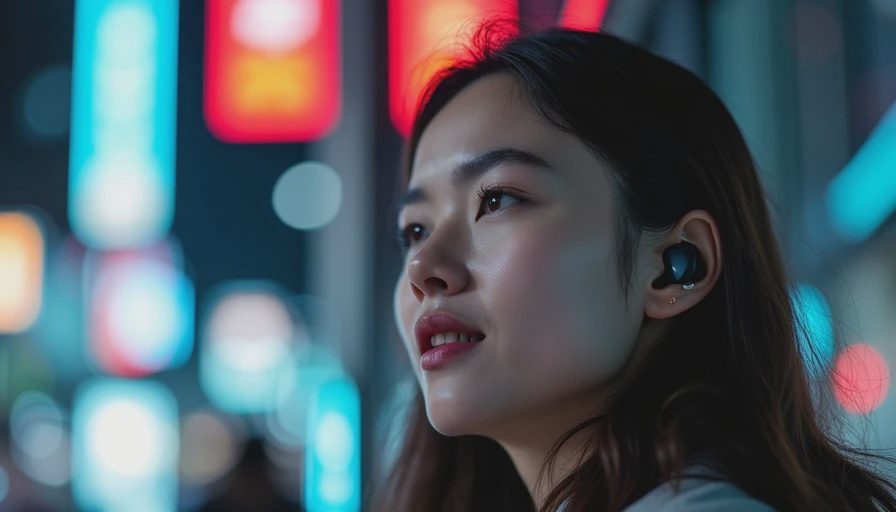
A charging case should provide more than emergency power; it should make the ownership routine simple. I measure how many complete earbud charges the case provides, whether the case supports wireless charging, and how quickly a short top-up restores listening time. A ten-minute charge that delivers roughly an hour can be more useful than a larger advertised total you rarely reach.
I inspect the hinge, magnets, USB-C port, and lid alignment after repeated daily handling. The case rides in a pocket with keys, lands on a desk, and gets opened one-handed while carrying groceries. The lightest case is not automatically the best case. If it is difficult to open or the earbuds do not seat securely, convenience disappears.
Manufacturers often quote playback with noise cancellation disabled and other conditions carefully chosen. That number is not useless, but it is incomplete. When comparing Bluetooth earbuds, look for separate estimates for ANC use, talk time, and case capacity. A practical pair that lasts six hours in your normal mode can beat a model that claims ten hours under conditions you never use.
What Different Buyers Should Spend
Around $50 to $80, models from Anker Soundcore and JLab can deliver strong value, especially for commuting or workouts. Expect compromises in transparency mode, call quality, app polish, or long-term firmware support. They can be sensible first Bluetooth earbuds, but I would not buy solely from a retailer rating without checking fit and microphone tests.
The $100 to $180 range is often the sweet spot. This is where you can find reliable ANC, comfortable designs, respectable microphones, and cases that support fast charging. Apple AirPods 4, Samsung Galaxy Buds, and selected Sony or Nothing models fit different phone preferences. The right choice depends less on brand loyalty than on whether your phone and laptop support the features you actually need.
Premium pairs costing $200 or more can justify the price with stronger noise reduction, better transparency, wireless charging, and refined sound. Bose QuietComfort Ultra Earbuds and Sony’s flagship models are examples of products aimed at demanding listeners. Still, premium Bluetooth earbuds are not immune to fit problems, battery aging, or software glitches. Spending more does not eliminate the need to test the basics.
My Buying Checklist After Testing
Start with the phone you already own. Confirm which features work with it, then decide whether you need ANC, multipoint, wireless charging, or water resistance. Water resistance is not waterproofing, and an IP rating does not make earbuds suitable for swimming. For exercise, prioritize a secure fit and easy cleaning over an elaborate sound mode.
Next, buy from a seller with a practical return window. Wear the pair indoors, make several calls, test the connection outside, and listen for pressure after an hour. Do not peel off the protective film or throw away the packaging until you know the fit works. A return policy is part of the buying decision, particularly with in-ear products.
Finally, judge Bluetooth earbuds after the novelty fades. If you keep reaching for another pair because these controls frustrate you, the purchase failed even if the sound is impressive. I value stable connections, comfortable long sessions, and honest battery behavior more than a dramatic feature list. I tested it. Here is what actually happened: the best pair is the one that disappears into your routine and keeps working.



No letters yet — be the first to write.