
A windows tablet can be the most flexible computer in your bag, or an expensive slab that spends its life connected to a charger. After years of testing laptops and tablets in a Best Buy quality lab, I look past processor names and glossy launch claims. I use each device for web work, video calls, photo transfers, streaming, typing, and the small annoyances that appear after the first week. That is how I decide whether a windows tablet deserves your money.
The category has improved substantially. Microsoft Surface models are thinner and faster, Lenovo offers practical detachable designs, and Asus makes unusually powerful tablet-style machines. But there is still no perfect model. You trade ports for portability, battery life for performance, or keyboard comfort for a lighter package. The right choice depends on how you plan to use it every day.
What a windows tablet does better than a laptop
The strongest argument for a windows tablet is flexibility. Remove the keyboard and you have a lighter screen for reading, sketching, recipes, or streaming. Reattach it and you can run desktop applications such as Microsoft Excel, Adobe Lightroom, Zoom, and full browser extensions. That makes it more capable than most Android tablets while remaining easier to carry than a conventional 14-inch laptop.
I notice the difference most when traveling. A Surface Pro-style device fits on a narrow airplane tray, and its built-in kickstand makes hotel-room viewing simple. Touch also helps with scrolling through long documents and signing forms. Windows Hello, which uses facial recognition to unlock compatible devices, is convenient when it works reliably in changing light.
The compromise is stability. A detachable keyboard usually has less key travel than a normal laptop, and the kickstand needs a flat surface. If you spend eight hours writing reports, a traditional laptop such as a Lenovo ThinkPad or Dell XPS will usually feel better. A windows tablet earns its place when mobility and touch input matter as much as typing.
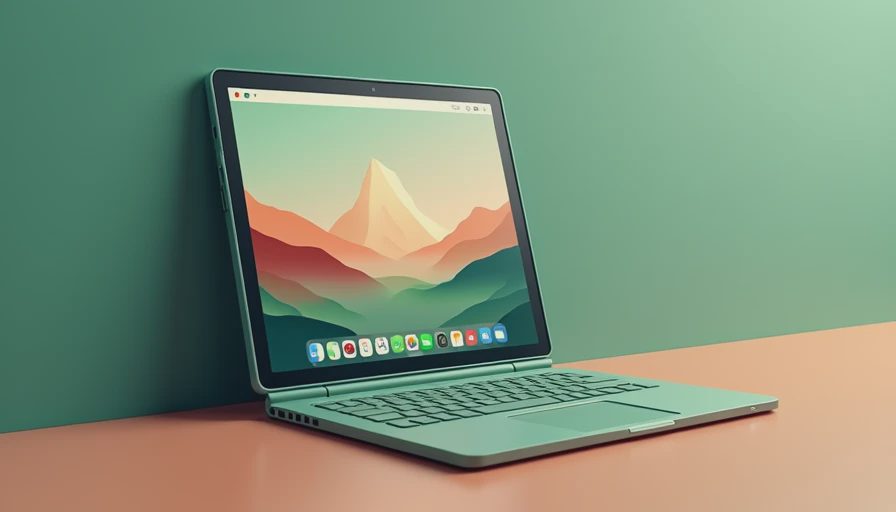
Screen, keyboard, and port tests that matter
Manufacturers love discussing resolution, but I pay closer attention to glare, scaling, and sustained comfort. A sharp display can still be frustrating beside a sunny window. In my home office, I compare brightness at several settings, read small spreadsheet text for an hour, and watch for uneven backlighting on a dark screen. OLED panels deliver deeper blacks and vivid contrast, but some users prefer the softer, less reflective look of a good LCD screen.
The keyboard deserves a separate test. I type the same several hundred words on every device, then use the trackpad for file management and browser tabs. Microsoft’s detachable keyboards are generally good for their size, though they can flex on a lap. Lenovo keyboards often feel more laptop-like, but the total package may be heavier. Budget covers frequently have cramped layouts, unreliable Bluetooth connections, or trackpads that mistake a palm for a click.
Ports are another quiet cost. One USB-C port sounds modern until you need to charge, connect an external drive, and use a monitor at the same time. A USB-C hub can solve that problem for roughly $30 to $100, but it adds another item to carry. Before buying a windows tablet, count your accessories rather than assuming an adapter will make everything painless.
Performance after the launch excitement
I do not judge speed from a ten-minute benchmark. I open a dozen browser tabs, join a video call, copy a large folder to an external drive, edit a short 4K clip, and leave the device running on battery. That reveals whether the cooling system can maintain performance after the processor gets warm. Some machines feel impressive for the first few minutes and then become noisy or sluggish.
Microsoft’s current Surface Pro models are attractive choices for office work, browsing, and light creative tasks. Qualcomm-based versions can offer quiet operation and strong battery behavior, but application compatibility still deserves attention. Most everyday software works well, while specialized business tools, older plug-ins, and some games can behave differently from their Intel or AMD versions.
For heavier work, an Asus ROG Flow Z13 or a powerful Windows detachable with an Intel Core Ultra or AMD Ryzen processor makes more sense. Those devices can handle demanding applications, but the fans and power draw are closer to a gaming laptop than an iPad. A windows tablet that claims laptop-class performance still needs laptop-class cooling somewhere inside.
Battery life, charging, and everyday durability
Battery testing starts at 100 percent with the same screen brightness, Wi-Fi connection, and mix of browser pages, streaming video, writing, and video calls. I repeat the test after updates because early firmware can distort results. Real battery life depends heavily on brightness, cellular connectivity, processor architecture, and whether the keyboard is attached, so a single advertised number tells you very little.
In practical use, a good windows tablet should cover a workday of moderate writing and browsing, but continuous video calls can cut that expectation sharply. Carry a compact USB-C charger rather than relying on an old phone brick; many higher-performance models need more wattage to charge while running. Check whether the charger is included, because a replacement can add $40 to $90.
Durability matters even more in a detachable design. I inspect the hinge, keyboard connector, kickstand tension, and screen edges after repeated setup and teardown. A windows tablet carried in a backpack needs a padded sleeve, especially because a bent kickstand or damaged connector can make the entire design frustrating. For a child or frequent traveler, budget for a protective case from the start.

Which model fits your budget?
Below about $500, expect compromises. Entry-level Lenovo and Dell devices can handle documents, email, streaming, and schoolwork, but storage and memory are often limited. Avoid configurations with only 4 gigabytes of memory if you expect to keep the device for several years. Eight gigabytes is a more comfortable floor, while 16 gigabytes is preferable for multitasking.
Around $700 to $1,000, the market becomes more interesting. A Surface Pro, Lenovo detachable, or business-oriented Dell Latitude can provide a better screen, sturdier keyboard, and faster storage. Remember that the keyboard and charger may be separate purchases. A tablet advertised at $799 can become a $950 setup before a case and hub are added.
Above $1,000, buy for a specific reason. A premium windows tablet makes sense for frequent travel, pen work, unusual software, or performance that a standard tablet cannot provide. It is a poor value if your routine is email and Netflix. At that price, compare it directly with a thin laptop; the laptop may offer more ports, better lap comfort, and a larger battery.
My checklist before you buy
First, confirm that your essential software runs natively or acceptably on the processor platform. Second, price the complete setup, including keyboard, pen, charger, case, and hub. Third, test the keyboard in a store if possible, because photographs cannot show whether the layout suits your hands. Fourth, check return terms and warranty coverage for the screen, connector, and battery.
Finally, picture your worst ordinary day rather than your best showroom moment. Will you type on a couch, edit photos in a coffee shop, connect two monitors, or hand the device to a child? I tested it. Here is what actually happened: the most satisfying windows tablet is rarely the one with the longest specification list. It is the one whose compromises match your routine.
For many readers, that means a midrange Surface Pro or Lenovo model with 16 gigabytes of memory and a proper keyboard. For demanding creators, it may mean a thicker performance-focused device. If you want help comparing current prices and complete configurations, start with the models that fit your software needs, then let the real-world test decide. Spec sheets are free. Truth takes a few weeks.




No letters yet — be the first to write.