Audio latency measurement sounds like a dry lab term, but it answers a practical question: how long does it take for a sound to reach your ears after something happens on the screen? That delay is easy to ignore while listening to music. It becomes painfully obvious when a character's mouth moves before the dialogue arrives, or when a game action sounds a fraction of a second late.
I spent eight years testing consumer electronics in a corporate quality lab, and I still see manufacturers present latency numbers without explaining how they got them. A wireless earbud can look excellent on a spec sheet and feel disconnected in actual use. My approach is slower and less glamorous. I test the earbuds with more than one phone, repeat the same trigger several times, and compare video, games, and ordinary Bluetooth listening.
What audio latency measurement actually tells you
Latency is the time between an input event and the matching sound. In a video, the input event is usually a frame changing on the display. In a game, it could be a button press, a weapon firing, or a footstep triggered by movement. The delay is typically described in milliseconds, or one-thousandths of a second.
A result around 30 to 50 milliseconds usually feels immediate to most listeners. Around 80 to 120 milliseconds can still be acceptable for streaming video, particularly when the phone automatically synchronizes sound and picture. Once the delay approaches 150 milliseconds or more, lip-sync problems and game timing errors become easier to notice. Those ranges are useful guides, not universal laws. Individual sensitivity, screen response, game engine behavior, and audio processing all affect the experience.
The important distinction is between the wireless link and the complete system. Bluetooth sends audio from a phone to the earbuds, but the phone may also buffer video, apply equalization, activate noise cancellation, or convert audio between formats. Each stage adds processing time. That is why a manufacturer’s Bluetooth latency claim cannot automatically predict what you will experience with an iPhone, Android phone, Windows laptop, or Nintendo Switch.
My repeatable audio latency measurement setup
For audio latency measurement, I use a high-frame-rate video camera pointed at both a display and the earbud speaker. The display shows a bright visual flash while the test device plays a sharp click at the same programmed moment. I record the event, then step through the footage frame by frame. The distance between the flash and the first visible speaker response gives me a practical end-to-end result.
I repeat each run at least ten times rather than trusting one lucky capture. Then I remove obvious setup errors and compare the remaining results. If the readings cluster tightly, I report the approximate average and the spread. If they jump from 45 milliseconds to 180 milliseconds, that inconsistency matters more than a flattering best-case number.
I run the test with noise cancellation turned off and on, because extra signal processing can change timing. I also test the earbuds with an iPhone and an Android phone when possible. On a laptop, I check both ordinary media playback and a browser video. The goal is not to create a laboratory number that only exists on my bench. It is to show what a buyer is likely to notice at a desk, on a couch, or during a gaming session.
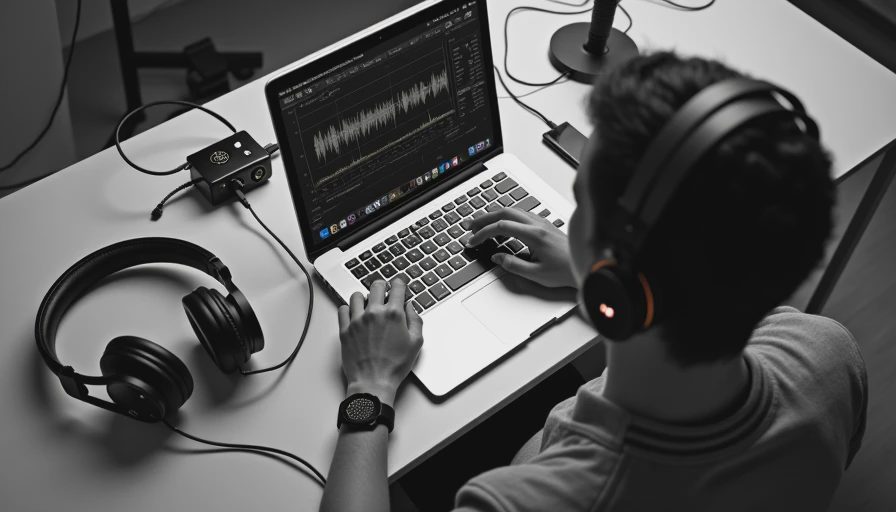
There is one limitation worth making clear. A phone camera, display refresh rate, and speaker response introduce small measurement errors. This is not a million-dollar acoustics chamber. It is a controlled consumer test designed to separate a genuinely responsive product from one that merely has polished marketing. For comparisons between earbuds, using the same setup is more valuable than pretending every result is absolute.
Why gaming mode does not solve everything
Many earbuds now include a low-latency or gaming mode. In a good implementation, the earbuds reduce buffering and simplify processing, which can make a real difference. In my audio latency measurement sessions, gaming modes often cut a noticeable amount of delay, but they can also reduce connection stability or battery life. Some modes work only inside a companion app, while others activate automatically when a supported game opens.
The phone and game must cooperate too. A game may use a special audio path that supports faster timing, while a streaming video app may rely on normal Bluetooth buffering. Some Android phones support manufacturer-specific fast-audio features that are unavailable on an iPhone. A pair of earbuds can therefore feel excellent in one setup and ordinary in another without either device being defective.
There is also a tradeoff between latency and smoothness. More buffering protects against brief wireless interference, especially in a crowded apartment or near a busy Wi-Fi router. Less buffering reduces delay but leaves less room for connection errors. I would rather have a stable 70-millisecond connection than one that briefly hits 35 milliseconds and then stutters during every multiplayer match.
What numbers should buyers trust?
Use audio latency measurement as a comparison tool, not as a promise of identical performance everywhere. When a review gives one number without identifying the phone, codec, software mode, or test pattern, treat it as incomplete. The word codec refers to the method used to compress and transmit Bluetooth audio. Different codecs can produce different results, and not every phone supports every codec.
I also separate video sync from interactive gaming. Phones often compensate for video delay by holding the picture until audio catches up. That can make a high-latency earbud seem perfectly synchronized on Netflix while the same earbud feels sluggish in a game. My audio latency measurement notes therefore include both cases whenever a product is marketed for gaming.
For music, latency usually matters very little because there is no moving mouth or immediate button response to compare. For podcasts, it rarely matters at all. For rhythm games, competitive shooters, musical instruments, and video calls, it matters much more. A buyer paying $200 or $300 should know which category describes their use before paying extra for a gaming label.
A practical buying test you can do at home
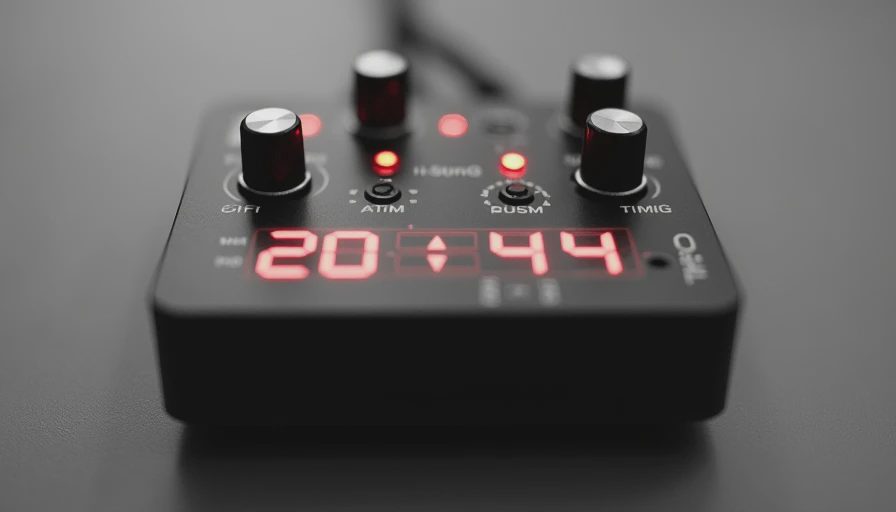
You do not need specialized equipment to catch obvious delay. Start with a video containing clear hand claps or drum hits. Pair the earbuds, disable any optional gaming mode, and watch for whether the sound consistently trails the visible action. Repeat with gaming mode enabled. Then try a game with a predictable sound cue, such as menu navigation or a jump landing.
Next, walk several feet away from the phone and place your body between the phone and the earbuds. This is not a formal range test, but it reveals whether the low-latency setting creates dropouts in your normal room. Try the same video on a second device if you own one. A delay that appears only on a laptop points to the source device or operating system, not necessarily the earbuds.
If you use an external microphone, camera, or digital instrument, test that equipment separately. Wireless earbuds add another link, and a video call may already have its own network delay. The result can feel much worse than the earbud’s standalone timing suggests. For serious live monitoring, wired headphones remain the safer choice because they remove the Bluetooth transmission step.
My bottom line after testing dozens of devices
Audio latency measurement is most useful when it is repeatable, transparent, and tied to a real activity. I do not give a low number a trophy if the connection stutters, the gaming mode is hard to activate, or the timing changes dramatically between devices. A dependable pair with moderate delay often makes a better everyday purchase than a fragile model with an impressive best-case result.
Before buying, identify your priority: movies, casual games, competitive gaming, calls, or music. Then look for independent testing that names the source device and explains the method. If a review only repeats a box claim, it has not answered the question that matters.
Spec sheets are free. Truth takes a few weeks. My audio latency measurement process is designed to turn a vague wireless claim into a result you can relate to. That is the difference between buying the feature and understanding whether the feature will actually improve your setup.
No letters yet — be the first to write.